
Telarix 4.27.0
Remote control of Windows computers
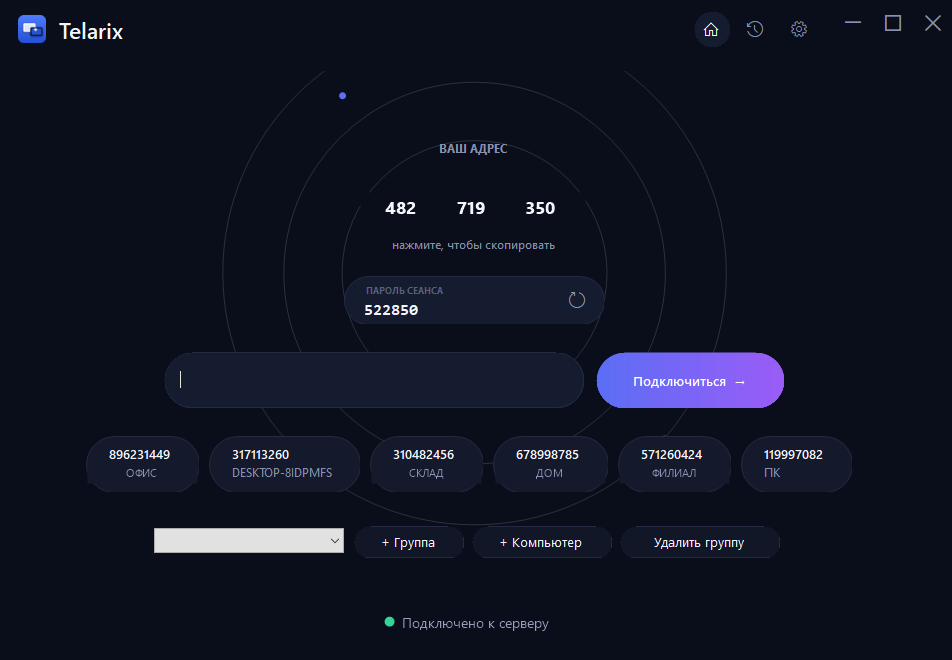
Screen, mouse and keyboard, files, audio, chat and session recording — all in one app for remote access to Windows computers.
Free — 2 hours 15 minutes/day from each computer
How it works
Connecting to another computer takes under a minute.
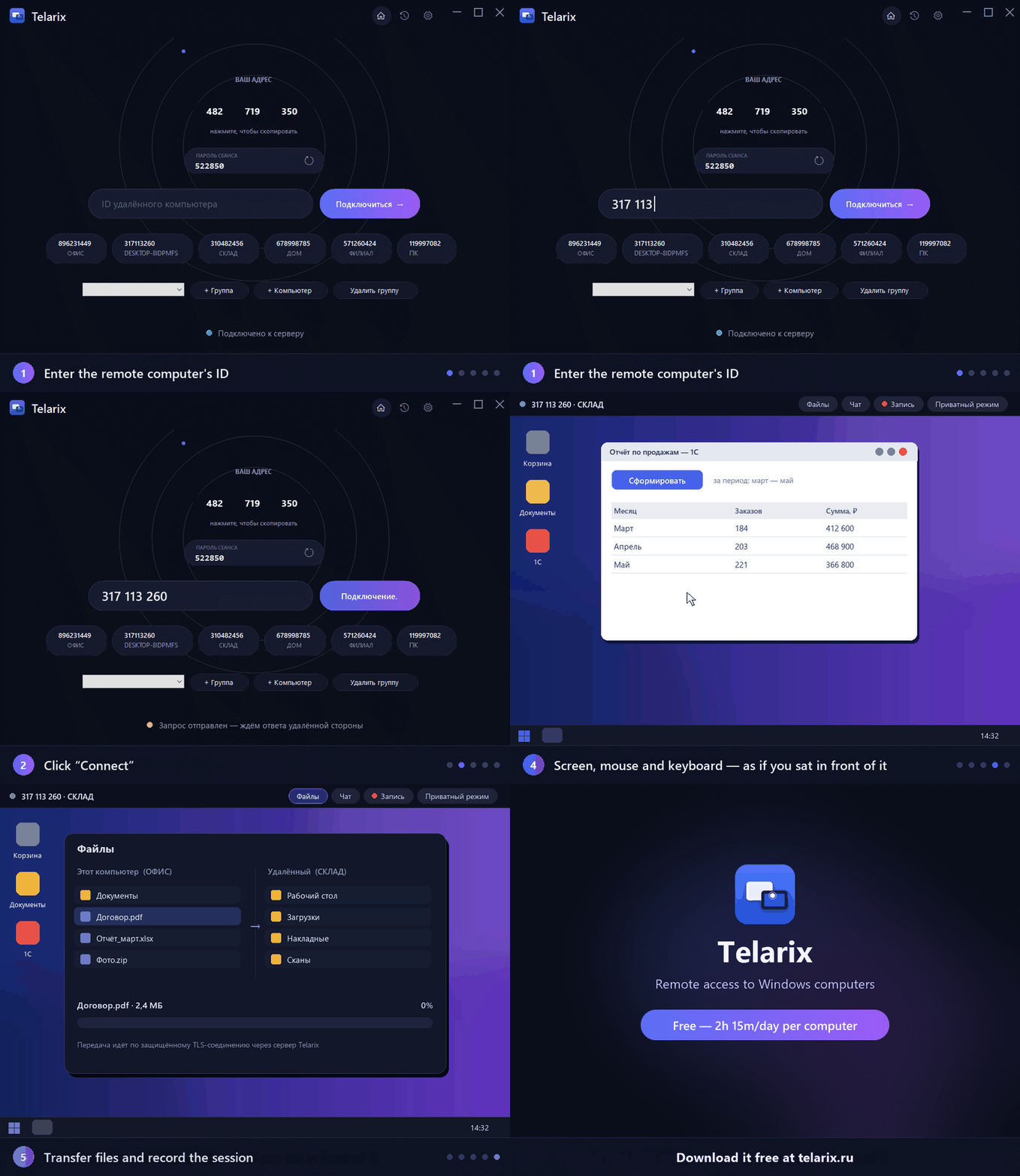
Illustrative animation: the flow is shown schematically.
Everything you need for remote work
Screen and control
Adaptive-quality screen sharing, mouse and keyboard, monitor selection, a virtual monitor when ordinary capture is unavailable.
Access and security
A one-time and a fixed password, an Allow/Deny dialog with per-session permission toggles (control, files, reboot, elevated rights), IP-address access restriction, trusted computers, TLS with certificate pinning, an unmissable "support session active" banner on the host's screen.
Files and clipboard
A file manager with drive/folder browsing, download and upload, drag-and-drop sending, clipboard sync, audio.
Collaboration and recording
Several observers with handoff of control, session recording to a file, system info, privacy mode, remote reboot.
History and tabs
Connection history with screen thumbnails and an online indicator, tabs for several sessions, full-screen mode.
Journal and hints
The client event journal and hints in the viewer: latency, and why control is not getting through.
Printing and wake-up
Remote printing: a document printed on the remote computer lands straight on your own local printer. Wake-on-LAN — wake a computer on your network from the connection history.
Web and fleet management
A web console for your device fleet (on-client notifications, dashboard tabs, MAC address and IP history in the log), and a browser bridge at telarix.ru/connect/ — control without installing the client.
How it works
Telarix.Client runs on the computers, Telarix.Server (a console app or Windows service) runs on the server. The server only pipes bytes between two TLS connections — it never parses the session content. There is no direct peer-to-peer connection.
Who Telarix is for
IT support and helpdesk
Connect to an employee's or customer's computer in a couple of clicks — an Allow dialog on their side, then you see the screen and can control it.
Remote work
Access your work computer from home: the same screen, files, audio and clipboard — as if you were at your desk.
System administrator
Several servers and computers, trusted connections with no dialog, a fixed password for unattended access and session recording.
What does waiting for help cost?
Without remote access, fixing a problem stretches into hours: a trip, or a long back-and-forth over the phone. With Telarix you connect to the screen and fix it right away. Calculate your case.
A rough estimate: not every problem can be fixed remotely.
Get started in 3 steps
Download and install
TelarixClient.exe on both computers. No admin rights needed for the client.
Connect
Enter the other computer's ID and the session password — the receiving side confirms with an Allow dialog.
Need more? Get a plan
Free gives 2 hours 15 minutes/day from each computer. A paid plan removes the cap and adds priority support.
FAQ
Does the program need the internet?
Yes. The client and server connect over TCP/TLS — with no network to the server there is no connection. The server is our own infrastructure on the internet — it always runs on our side, never yours — so you need regular internet access; a local network alone isn't enough.
Do I need to open ports on the controlled computer?
No. Both clients connect outward to the server themselves — no inbound ports on the computers. Only the server needs open ports.
Do I need to install anything on a server?
No. The server is our infrastructure — you don't administer it. Only the client, TelarixClient.exe, goes on your computers.
Does it work inside an RDP session?
Yes. If ordinary screen capture is unavailable inside RDP (a common Desktop Duplication limitation there), the client automatically falls back to another capture method or a virtual monitor.
How secure is it?
The connection uses TLS, with the server's certificate fingerprint pinned on first connection. The fixed password is stored with DPAPI, keyed to that specific computer.
If the software is free, what does a paid plan add?
The software is identical on every plan. Free gives 2 hours 15 minutes of connections per day from each computer, then the session ends until the next day. A paid plan removes that cap: Premium for one computer you connect from and up to 50 workstations, Enterprise with no limits on computers or workstations. Paid plans also allow parallel sessions in tabs (Premium up to 3, Enterprise unlimited; Free has one) and add faster, priority support.
How is the free daily cap counted?
2 hours 15 minutes a day, per computer you connect FROM (not the one you connect to). The server counts real time while at least one of its sessions is open, so several tabs at once don't use it up faster. The day starts at 00:00 Moscow time. Enter the license on the computer you connect from — the cap is lifted there.
Can I control several computers at once?
Yes, on paid plans: every connection opens in a tab inside the program window and you can switch between them (Ctrl+Tab). Premium allows up to 3 sessions at once, Enterprise is unlimited. The Free plan has one session. The free daily cap does not depend on the number of tabs: real time is counted while at least one session is open.
Can I buy a license for less than a year?
Yes — a month, six months or a year; the longer the term, the cheaper it works out per month. Pick the term on the checkout page.
Start for free
Download the client — it connects to our server right away, free (2 hours 15 minutes/day from each computer) with no feature limits. Paid plans remove the daily cap and add priority support.